walton primo f4

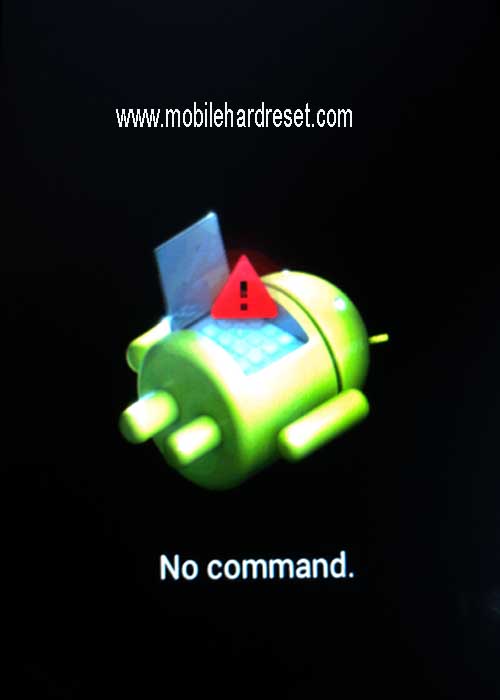
Read more at http://mobilehardreset.com/hard-reset-walton-primo-f4/#kO2kyymybO1ESj64.99Step 4: When you see on your mobile screen Android no command icon then release all hold key and press power key.


Read more at http://mobilehardreset.com/hard-reset-walton-primo-f4/#kO2kyymybO1ESj64.99
Mobile hard reset steps :
Step 1: First turn off your Walton android mobile.
Step 2: Release any sim card or sd card on your mobile.
Step 3: Press and Hold Vol+ key and Power key 10 seconds.

Read more at http://mobilehardreset.com/hard-reset-walton-primo-f4/#kO2kyymybO1ESj64.99Step 4: When you see on your mobile screen Android no command icon then release all hold key and press power key.
Step 5: You got Android system recovery mode Use Vol – key select wipe data/factory reset and press Vol+ key to confirm.

Step 6: Use Vol- key select Yes — delete all user data and press Vol+ key to Confirm. (Notice: when you select Yes — delete all user data and press Vol+ key you lost your phone all user data)

Step 7: Wait until complete hard reset, select reboot system now and press Vol+ key.
Step 8: Now your mobile will reboot.
Step 9: Your Android mobile is now ok.
Read more at http://mobilehardreset.com/hard-reset-walton-primo-f4/#kO2kyymybO1ESj64.99


